The moment it clicked for one parent I talked to: her 6-year-old had finished his reading comprehension worksheet in four minutes. She glanced at the screen and saw a ChatGPT summary of the chapter.
"He wasn't lying," she told me. "He just didn't know the rule, because we hadn't made one."
That's the problem with vague guidance like "use AI responsibly" — kids don't know what responsible looks like for a specific homework task. The green/yellow/red system makes the line concrete: visible enough to post on the fridge, simple enough that a 5-year-old can remember it.
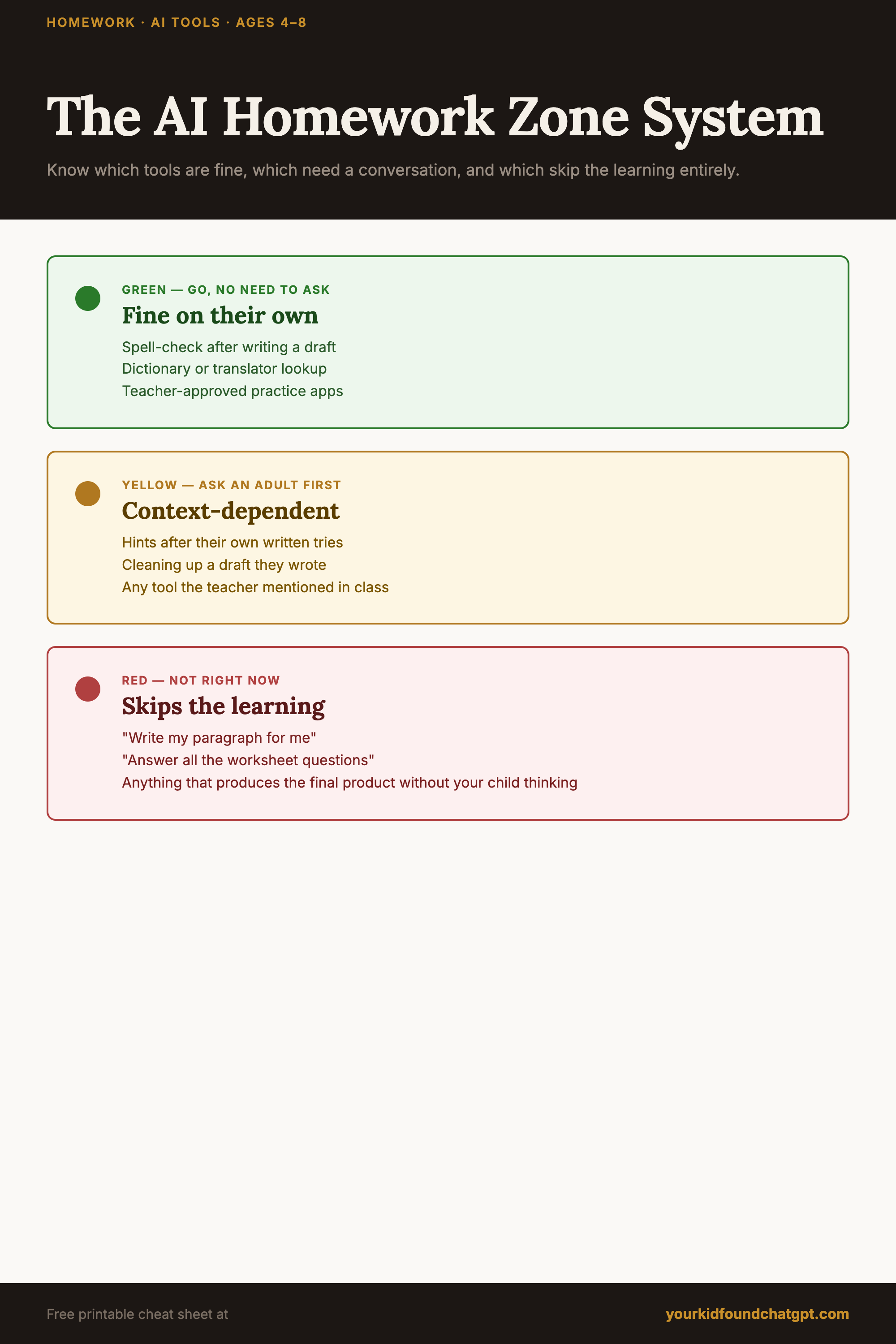
Save this graphic
Pin the traffic-light system to your parenting board — or print it and hang it above the homework desk.
More on Pinterest → Parenting in the Age of AI
How the traffic light works
Each color maps to a clear question: Who is doing the thinking here — my child, or the AI?
AI helps, your child still thinks
- Brainstorming story ideas or project topics
- Checking spelling in their own writing
- Having a word or vocabulary term read aloud or explained simply
- Looking up a fact they couldn't find in their notes
- Getting an example of a concept after they've tried to understand it
Depends on the assignment
- Summarizing a text they've already read
- Getting a math concept explained step by step
- Checking whether their answer is right (after they've attempted it)
- Getting feedback on something they've already written
- Finding a different way to explain something they don't understand
AI does the thinking, not the child
- Writing sentences, paragraphs, or essays for school
- Solving math problems they haven't attempted
- Generating answers for reading comprehension questions
- Producing anything the teacher expects to reflect your child's own thinking
The age adjustment
Ages 4–6: The green zone is the only zone. Kids this young aren't doing graded work where AI is relevant, but they may be using voice assistants or educational apps. Green for them means: parent-selected tools, parent-present use.
Ages 7–8: Introduce the yellow zone gradually. Start with "brainstorming and explaining" as the clearest examples, then add more as your child shows they understand the distinction. The red zone is always firm, regardless of age.
Get the Traffic-Light Cheat Sheet for Your Fridge
The complete green/yellow/red system on one printable page — plus the 5 house rules and word-for-word scripts for the hardest homework moments.
No spam. One email with the cheat sheet PDF. That's it.
Why traffic lights work better than rules
Rules create compliance. Systems create judgment.
When your child learns the traffic light, they start applying it themselves — even to new AI tools you haven't encountered yet. That's the goal: not a kid who follows your rules about this tool, but a kid who can evaluate any new tool and ask themselves: "Is this green, yellow, or red for what I'm trying to do?"
That's a skill that outlasts any specific platform, app, or rule you could write today.
What to do when they break the rule
First question: did they know the rule, or was this genuinely unclear? If it was unclear, that's useful information — the system needs a clearer edge. If they knew, use the traffic light as the reference point: "What color zone was that in?"
Don't make it a punishment; make it a calibration. Each time you revisit a homework moment together, you're building the judgment they'll need in middle school, in college, in work.
Printing it out
The cheat sheet version of this system is designed to live on the fridge or above the homework desk — one laminated page, one glance. Your child can check it themselves, which is the point. The moment they no longer need to check is when the system has worked.
The goal isn't a kid who follows the traffic light. It's a kid who has internalized the question underneath it: "Am I doing the thinking, or is the AI?"
The gray areas
Some things genuinely don't fit neatly. What about getting AI to explain a concept they're struggling with, then writing it in their own words? That's green or light yellow, depending on age. What about using AI to check their own essay? Yellow — ask first.
When in doubt: "Did you do the thinking? Or did AI do the thinking?" That's the question at the center of the whole system, and it's one your child can eventually ask themselves.
Frequently asked questions
Should kids use ChatGPT for homework?
It depends on the task, not a yes/no. A simple green/yellow/red system works well: green is fine on your own (checking spelling, getting unstuck on a definition), yellow means pause and ask an adult first (explanations, examples), and red is off-limits (having AI write the answer). The line is effort first, tools second.
Is it cheating to use ChatGPT for homework?
Using AI to do the thinking for you — writing the essay, solving the problems — is cheating and short-circuits learning. Using it to check your own work, get a hint after you've tried, or understand a concept can be legitimate. The rule that keeps it honest: try first, then decide together if you need help.
How do I stop my child cheating with AI?
Shame and surveillance rarely work for long. A clear, agreed system works better: define what's allowed (green), what needs a check-in (yellow), and what's off-limits (red), keep homework in a shared space, and ask to see the work AI touched. When they slip, repair and reset rather than punish.
What is a good homework rule for AI?
One sentence covers most of it: try it yourself first, and an adult sees anything AI helped with. The green/yellow/red traffic light turns that principle into something a 4-8 year old can actually follow, and it scales as they get older.
Your Kid Found ChatGPT. Now What?
The complete green/yellow/red system, six conversation habits, word-for-word scripts, and a 7-day family onboarding plan. For parents of kids 4–8.
Get the guide — $19 →